
DEVICE COMPATIBILITY
Check if your smartphone, tablet, or laptop is ready for eSIM
Is Your Device eSIM Compatible?
Check Supported Phones & Tablets
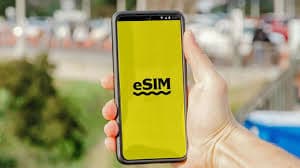
Before purchasing a Prune eSIM, confirm if your smartphone, tablet, or laptop supports eSIM technology.
Minimum Requirements for eSIM Compatibility
eSIM-enabled (supports embedded SIM)
Unlocked (not tied to one carrier)
Running a recent OS version
Capable of mobile data connection
How to Check eSIM Support on Your Phone
Follow these step-by-step visual guides on your smartphone to confirm eSIM readiness in under 30 seconds.
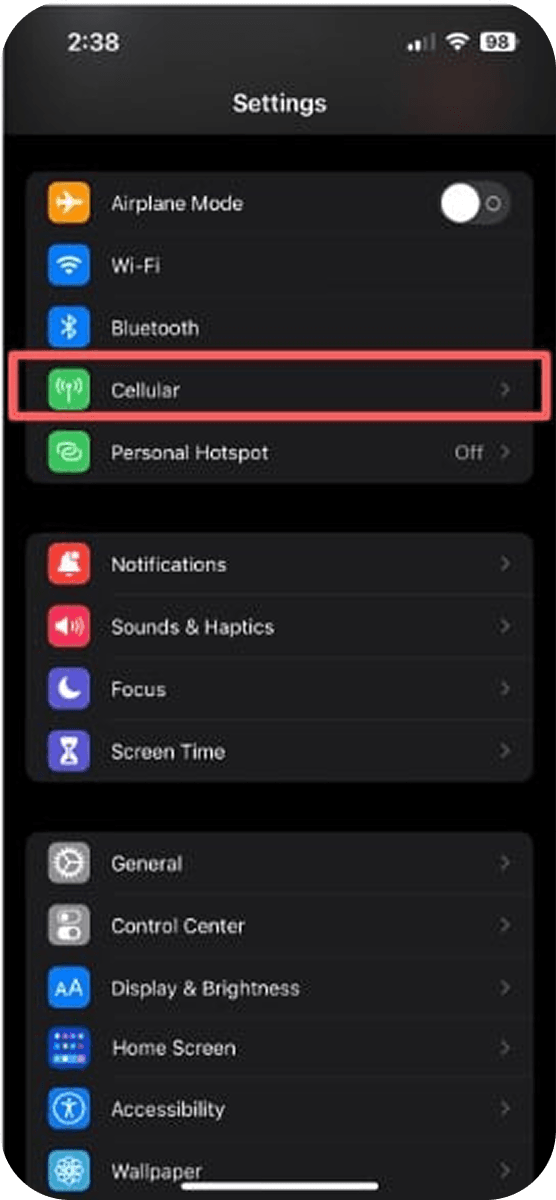
1. Open Settings
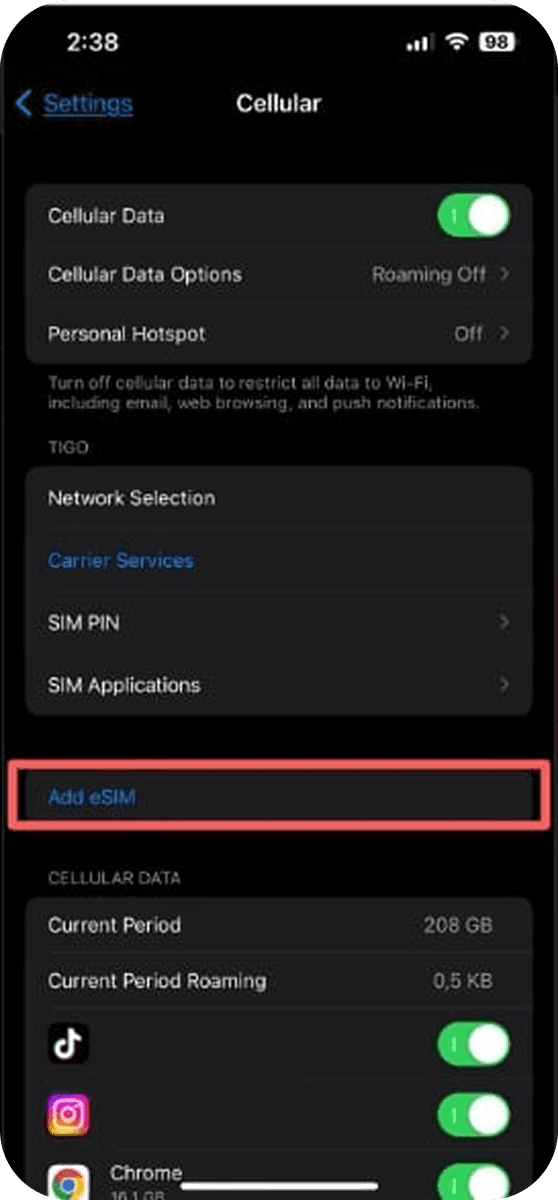
2. Select Cellular / Mobile Data
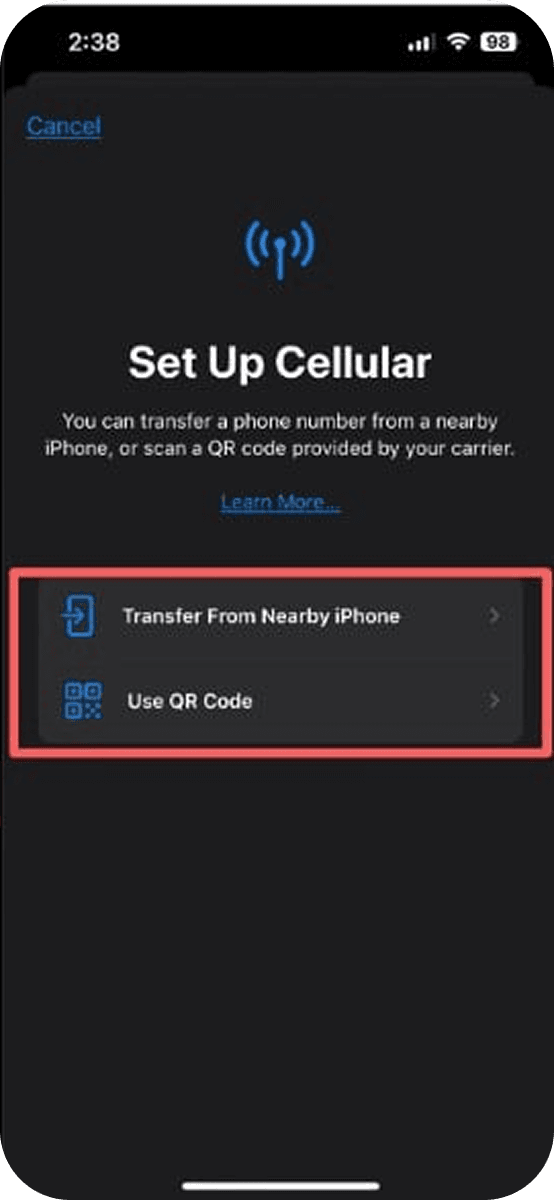
3. Tap Set Up Cellular or Add eSIM
List of eSIM-Compatible Devices
Expand the categories below to view the most popular compatible phones, tablets, and mobile laptops.
iPhone XS, XR, 11, 12, 13, 14, 15, 16 series and newer
Samsung Galaxy S20+, S21, S22, S23, S24, Note 20, Z Flip & Fold series
Google Pixel 3, 4, 5, 6, 7, 8, 9 series and newer
Selected Xiaomi, OnePlus, Oppo & Motorola models
iPad Pro (11-inch & 12.9-inch 3rd gen and newer)
iPad Air (3rd gen and newer), iPad Mini (5th gen and newer)
Selected Samsung Galaxy Tab S9/S10 cellular models
Selected Lenovo cellular tablets
Microsoft Surface Pro, Surface Go & Surface Laptop series with LTE/5G
Lenovo ThinkPad, Yoga with integrated eSIM cellular modem
HP Spectre, EliteBook with LTE module
Selected Acer & ASUS connected Chromebooks
Why Some Devices Don't Support eSIM
Even if your model typically supports eSIM, hardware variations or telecom policies might restrict embedded SIM functionality.

Region variants lacking eSIM hardware
Carrier-locked phones

Outdated OS versions
Rooted/jailbroken devices